
What Is Storyboarding? Definition, Process and Real Animation Examples
Shrija Roy
Oct 19, 2026, 7:32:49 AM

What Is Storyboarding? Definition, Process and Real Animation Examples

Shrija Roy · Updated October 2026 · 12 min read
1 to 2 wks
Storyboard stage
2
Revision rounds
5,000+
Videos produced

Storyboarding is the process of turning a script into a sequence of sketched frames, one per shot, that show what the viewer will see and hear before any animation starts. In an animated explainer it sits between the script and the style frames, usually takes 1 to 2 weeks with 2 rounds of revisions, and is the cheapest place in the whole project to change your mind.

What Is Storyboarding?

Storyboard definition: A storyboard is a sequence of sketched panels, one per shot, that shows what a video will look like before it is made, with the voiceover, action and camera notes written beside each frame.

So what is a storyboard in practice? Think of it as a visual script. Each panel is a rough sketch of one shot, paired with the voiceover line that plays over it and a short note on the action: what moves, what draws on, where the camera goes. Read panel by panel, it plays like a comic strip of your video.

Storyboarding is the process of building that board. Disney's animators made it standard in the early 1930s by pinning sketches to the studio wall, and it is still the backbone of every animated video, because in animation nothing exists until someone draws it.

For an animated explainer video, the storyboard is the moment your script stops being words and starts becoming pictures. It is where you and the studio agree on what every second of the video will show. At Broadcast2World, no explainer goes into animation until its storyboard is signed off.

Storyboard vs Script vs Style Frames vs Animatic

These four get mixed up a lot. Here is what each one is and what you are approving when you sign it off.

Stage What it is What you approve
Script The words: voiceover and on-screen text The message and the story
Storyboard Rough sketches, one per shot, with voiceover and action notes What each scene shows and how it flows
Style frames 2 or 3 key frames designed in the final look Colours, characters and illustration style
Animatic The storyboard edited and timed to a scratch voiceover Pacing and timing before animation
At Broadcast2World, the animatic is reserved for high-end animated commercials. For explainers, a well-annotated storyboard does the same job faster.

How Storyboarding Helps in Developing an Animation Project

Storyboarding helps an animation project by locking the story, the visuals and the pacing while changes are still cheap. Every frame of an animated video has to be designed, drawn and moved, so a scene cut at storyboard stage costs a few sketches. The same cut after animation costs days of rework.

1

It turns words into pictures

A line like "seamless integration" can be shown a dozen ways. The board picks one, so nobody is imagining a different video.

2

It catches story problems early

If a panel has nothing worth showing, the script line behind it is usually weak too. Storyboards expose that before production.

3

It plans every camera move

Pans, zooms, transitions and 3D camera angles are decided on paper, so animators are never guessing.

4

It keeps stakeholders aligned

Marketing, product and legal review the same panels and sign off on one version of the story.

5

It sets the pace

Each panel maps to a voiceover line, so you can spot where the video drags or rushes.

6

It protects the budget

Animation is the most expensive stage. The board makes sure you only animate scenes that earned their place.

The cost of one change, stage by stage

Effort to change one scene

ScriptRewrite a line
StoryboardRedraw a few panels
AnimationRe-animate scenes and re-time the voiceover
Final renderRebuild, re-render and re-mix

That is why we spend 1 to 2 weeks getting the board right before a single frame is animated.

Anatomy of an Explainer Storyboard Panel

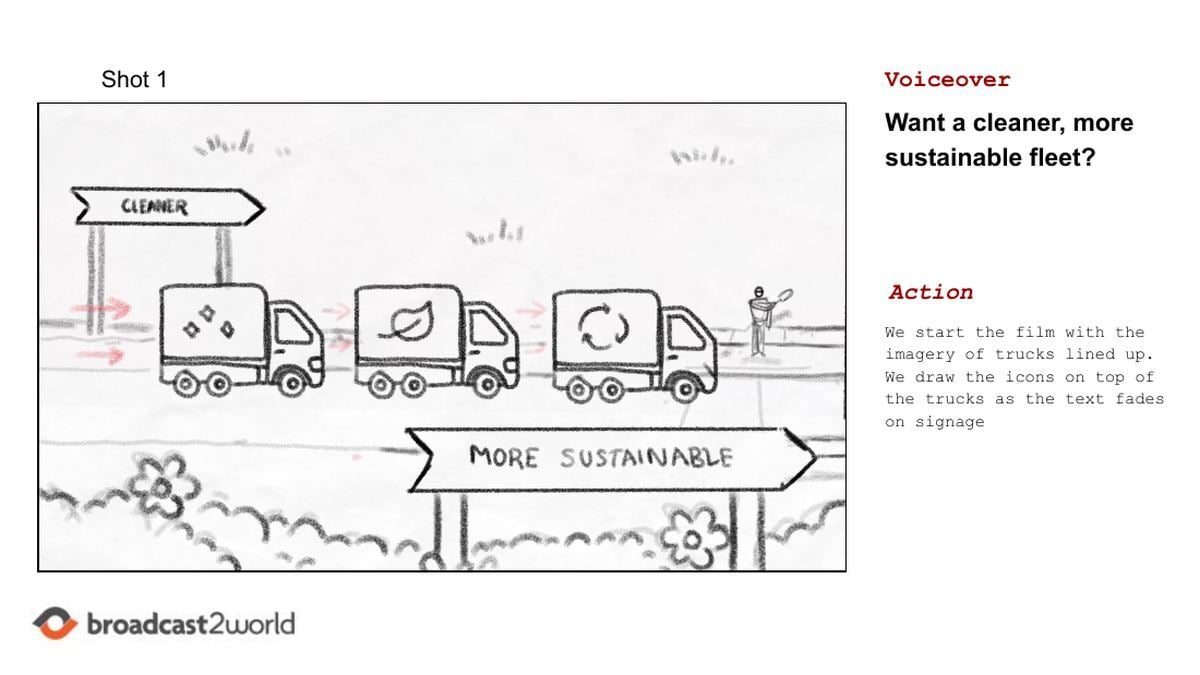
Here is a real panel from our whiteboard explainer for the Transportation Authority of Marin, made with Reach Strategies. Every panel we share with clients follows the same four-part layout.
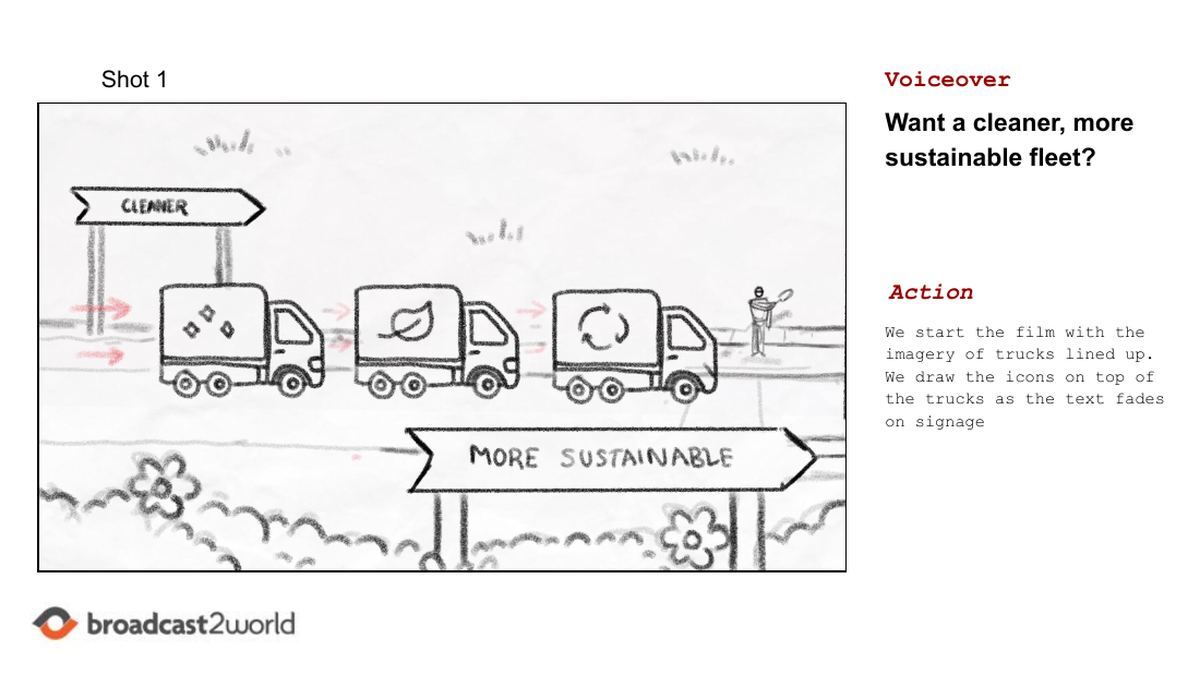
Storyboard panel for Shot 1 of a whiteboard explainer: three trucks with cleaner and sustainable icons beside road signs, with voiceover and action notes
Shot 1 from the Transportation Authority of Marin storyboard. Frame on the left, voiceover and action on the right.
Shot number Shot 1, 3a, 6a. Letters mark extra panels inside one shot, so feedback like "change 6a" is never ambiguous.
The frame A rough sketch of what is on screen. Here, three trucks with cleaner and greener icons between two road signs. Sketches stay loose on purpose: you are approving the idea, not the drawing.
Voiceover The exact script line that plays over the shot: "Want a cleaner, more sustainable fleet?"
Action What moves and how: "We draw the icons on top of the trucks as the text fades on signage." This note is the animator's brief.

Notice the small red arrows in the frame. They show the direction of movement, which is how a still drawing describes motion. If you can read the arrows and the action note, you can picture the shot.

How Storyboarding Fits Into an Explainer Video Project

In a typical 4 to 6 week explainer project, the storyboard stage takes 1 to 2 weeks and includes 2 rounds of revisions. It comes right after the script is approved and right before the visual style is designed. For the full production picture, see our guide on how to make an explainer video.

1

Brief and discovery

We learn your audience, the one thing they must remember and where the video will live.

2

Script

Voiceover and on-screen text, about 130 to 150 words for 60 seconds. Approved before any drawing starts.

3

Storyboard (1 to 2 weeks)

Our artists sketch every shot with its voiceover line and action notes. You review the board in Basecamp, comment panel by panel and get 2 rounds of revisions.

4

Style frames

Two or three key frames designed in the final look, often in two style options, so you choose the visual direction before animation.

5

Voiceover

A professional voice artist records the approved script, which sets the exact timing for animation.

6

Animation

Animators bring the approved panels to life. Because every shot was planned, this stage runs without surprises.

7

Sound and delivery

Music, sound effects and the final mix, then delivery in every format you need.

Where is the animatic? For most explainers we skip it. The annotated storyboard plus the recorded voiceover give animators everything they need. We add an animatic only for high-end animated commercials, where frame-perfect timing for broadcast justifies the extra step.

How to Make a Storyboard in 6 Steps

Whether you sketch a rough board yourself or brief a studio, the steps are the same. This is how our storyboard artists build every explainer board.

1

Lock the script

Start from an approved script. Each line or story beat usually becomes one shot.

2

Break it into shots

Mark where the picture changes. Number every shot and add letters, like 3a and 3b, for moves inside a shot.

3

Thumbnail the ideas

Sketch tiny, rough options for tricky shots first, then pick the clearest one before drawing it properly.

4

Sketch each frame

Draw every panel in 16:9 and keep it rough. Show characters, key objects and where on-screen text will sit.

5

Add voiceover and action notes

Put the script line beside each frame and describe what moves, draws on or transitions, with arrows for direction.

6

Review, revise and lock

Read the board aloud against the script, gather feedback, revise, then lock it before style frames begin.

Storyboard Examples From Real Animated Explainers

Storyboards look different depending on the animation style. Here are three real storyboard examples from Broadcast2World projects, each shown with the finished video, so you can see how panels become motion.

3 styles · 3 real boards
Storyboards by Animation Style

Whiteboard, 2D character and 3D explainers, from first sketch to finished film.

Whiteboard 2D Character 3D
A

1. Whiteboard explainer storyboard: Transportation Authority of Marin

A whiteboard animation board is drawn the way the final video will look: hand-sketched lines on paper. The action notes focus on what gets drawn when, because in whiteboard animation the drawing itself is the motion. Red marks flag colour accents and movement.
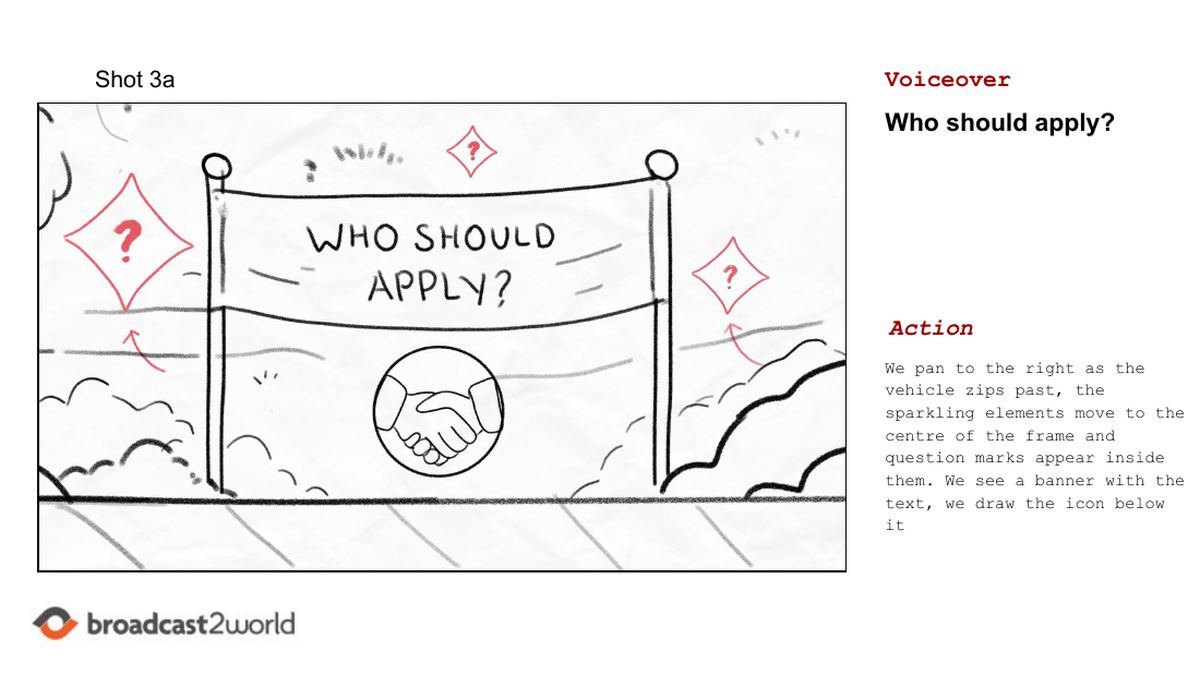
Whiteboard storyboard example: a banner reading Who should apply with a handshake icon and question marks
Shot 3a: "Who should apply?" The question marks pop into sparkles as the banner draws on.
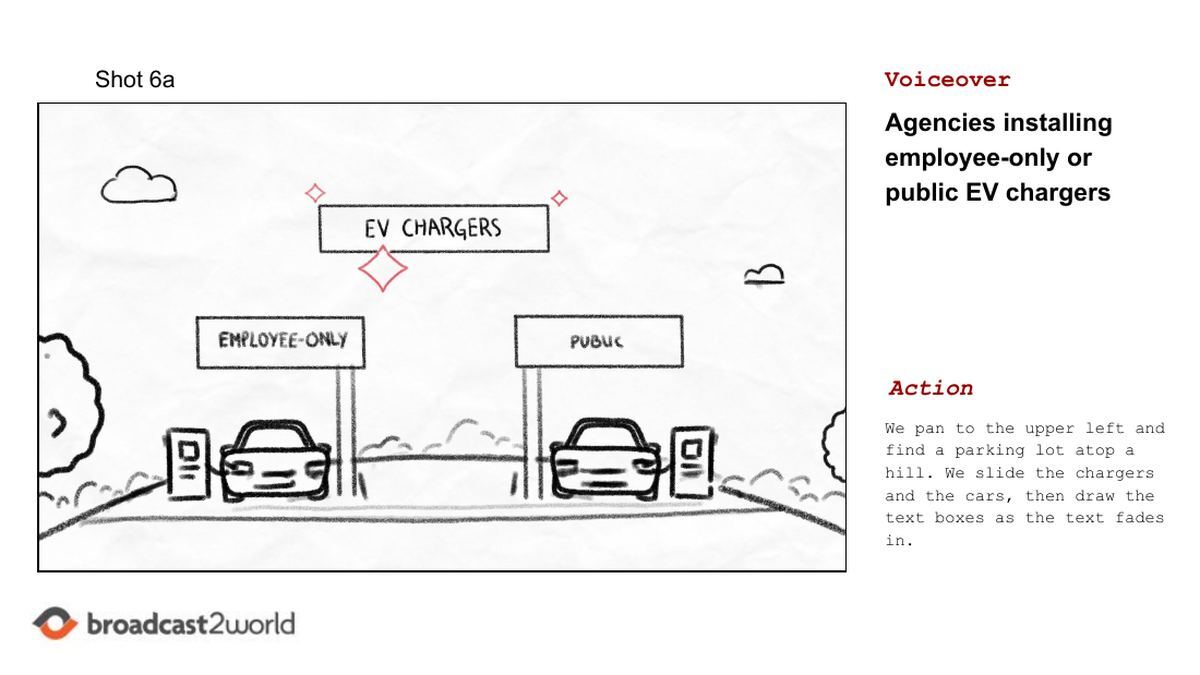
Whiteboard storyboard example: EV chargers sign above employee-only and public parking with two electric cars
Shot 6a: the camera pans to a hilltop lot, then the chargers and cars slide in.
01
Transportation Authority of Marin: EV Rebates
Whiteboard Public Sector

An 89-second whiteboard explainer, made with Reach Strategies, that walks public agencies through rebates of up to $5,000 per electric vehicle and up to $3,000 per charger.

Why It Works

The storyboard turned a dense rebate policy into road signs, trucks and chargers, so every number lands on a picture.

Borrow This

Give every key number its own panel. If it cannot be drawn, it probably needs simplifying.

2. 2D character storyboard: BGSU Life Design

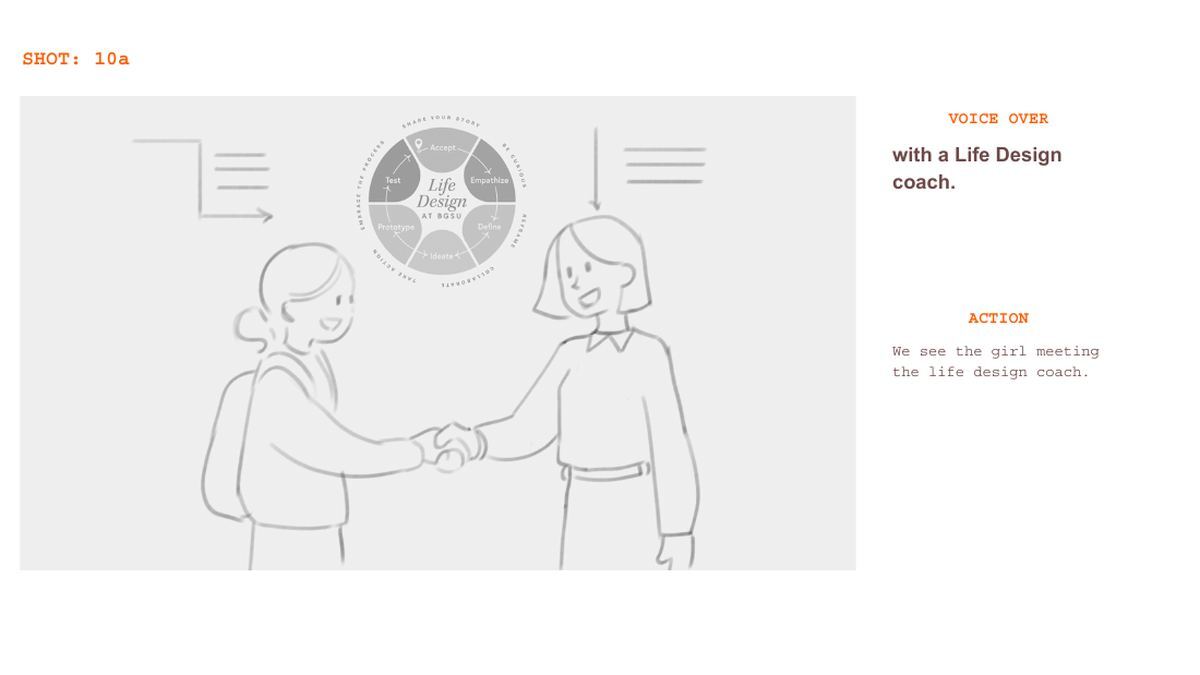
Character-led boards spend more effort on people: expressions, gestures and how the hero changes over the story. Bowling Green State University's Life Design video follows a student from campus life to a coaching session to an internship, and the board tracks her journey shot by shot. The purple arrows show where characters walk and turn, and transition notes like "the frame completely expands out" tell animators how one scene becomes the next. This is the kind of work our 2D animation team storyboards most.
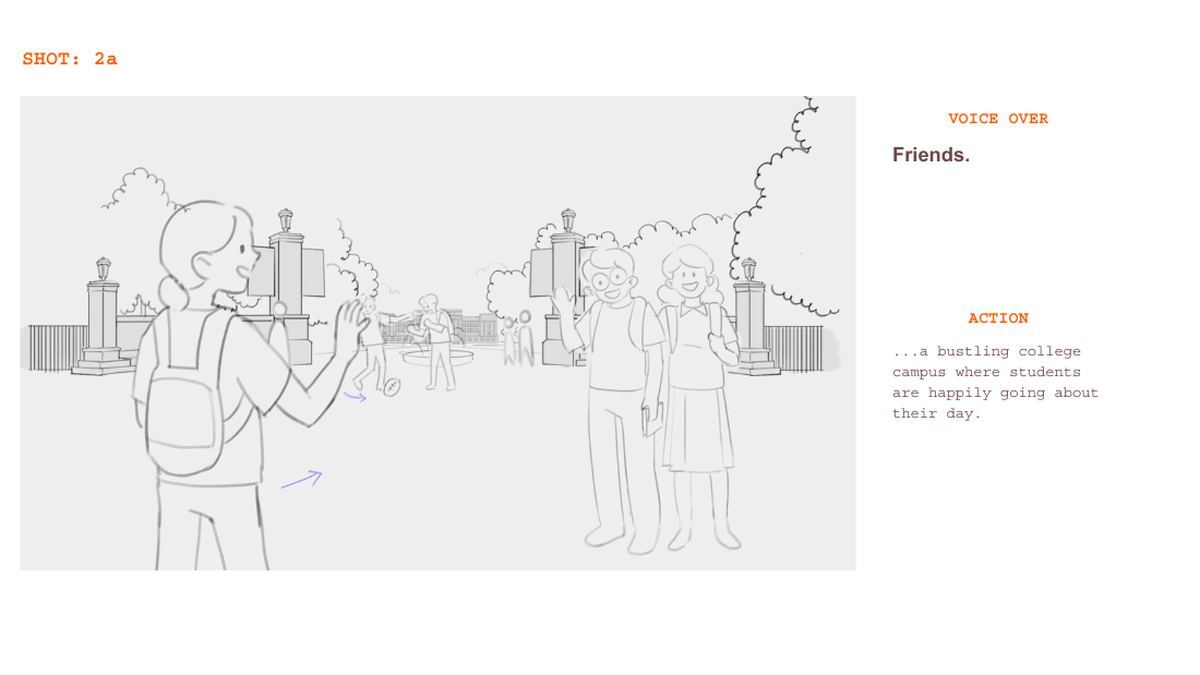
2D character storyboard example: students waving to each other at a college campus gate
Shot 2a: a bustling campus sets up the hero's world.
2D character storyboard example: a student shaking hands with a Life Design coach under the program logo
Shot 10a: the hero meets her guide, the Life Design coach.
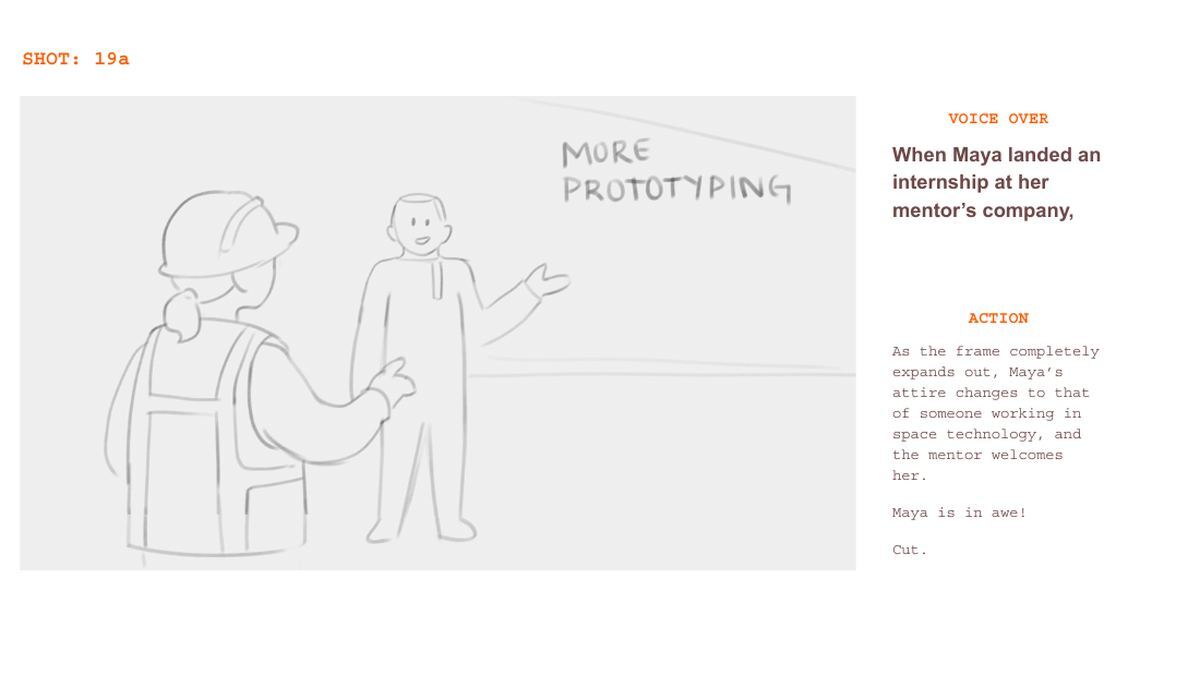
2D character storyboard example: Maya in a hard hat meeting her mentor beside the words More Prototyping
Shot 19a: the payoff, as Maya lands an internship at her mentor's company.
02
BGSU: Life Design
2D Character Education

A character-driven explainer for Bowling Green State University's Life Design program, following a student named Maya from campus life to her first internship.

Why It Works

One relatable hero carries the whole program, so students see themselves instead of a list of services.

Borrow This

Storyboard your hero's emotion in every panel, not just their position. Expressions are what make 2D characters feel real.

3. 3D explainer storyboard: CDL Nuclear Technologies

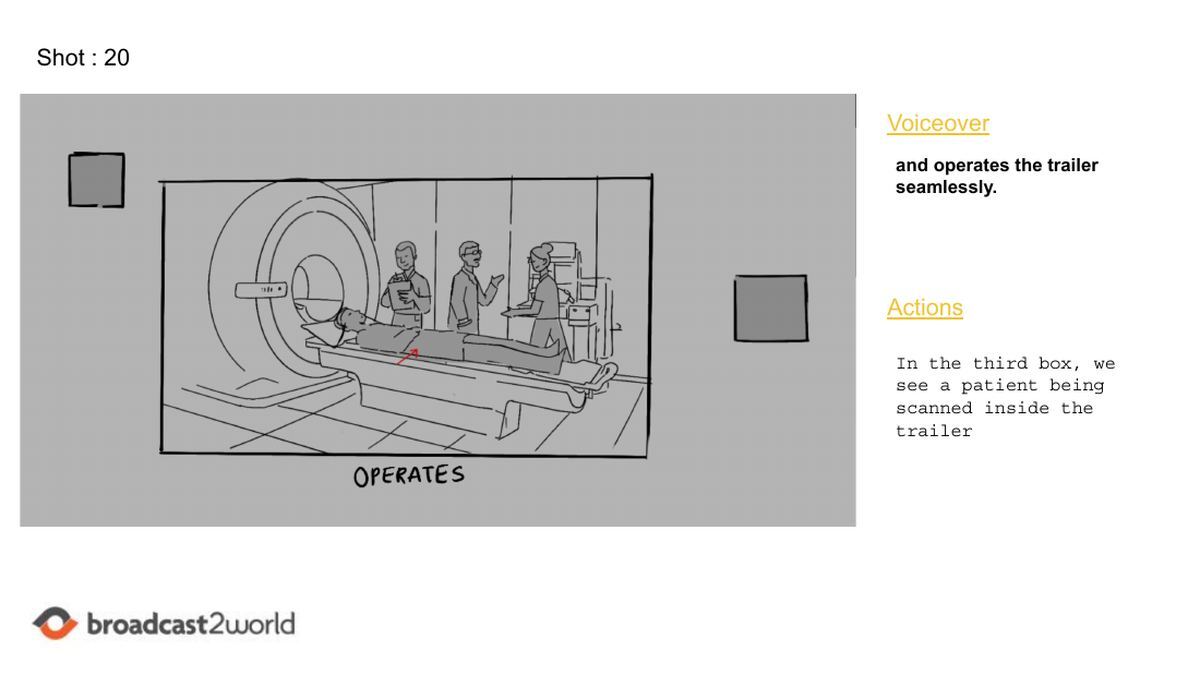
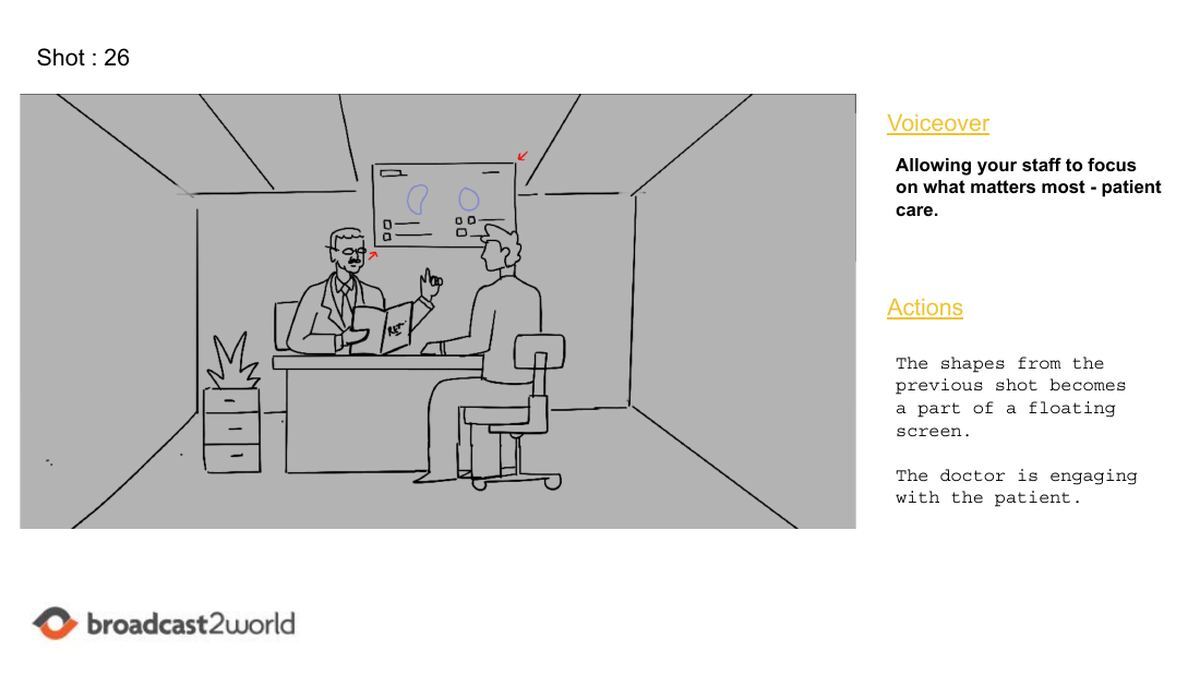
In 3D, the storyboard doubles as camera blocking. Every object will be modelled, so the panels describe where the virtual camera sits, where it moves and where it stops, like the note on Shot 12: "The camera stops at a certain angle." Boards also plan transitions, such as shapes from one shot becoming a floating screen in the next. Getting this right on paper matters more in 3D animation, because moving a camera later means re-rendering whole scenes.
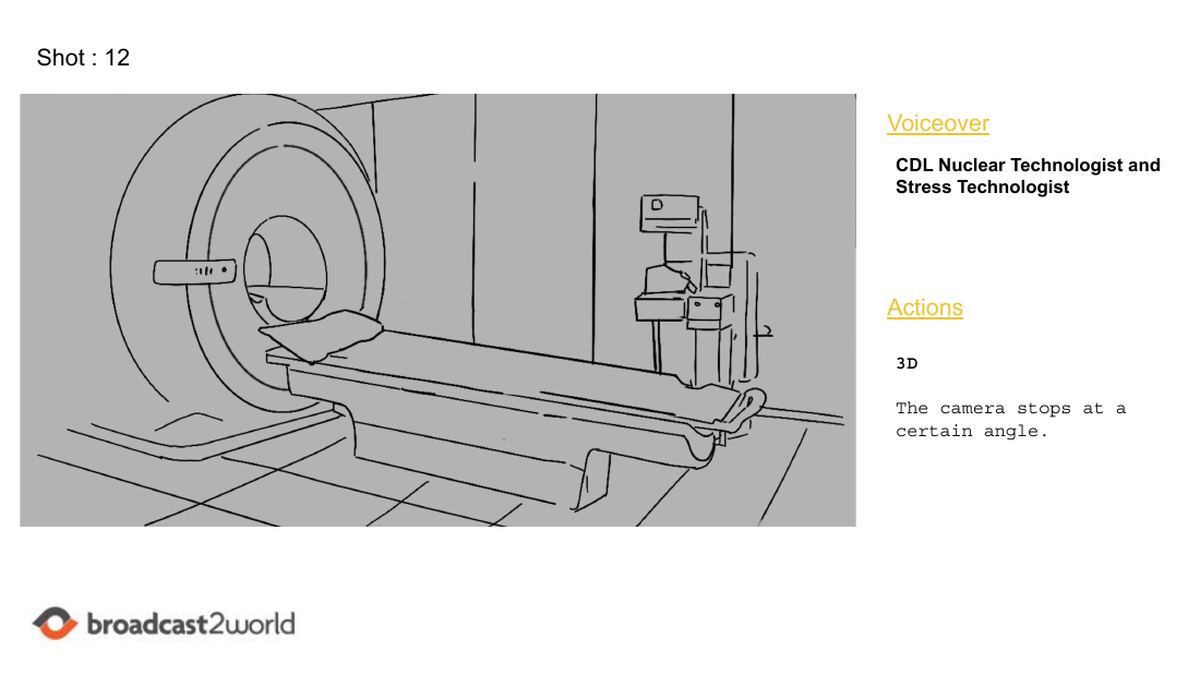
3D storyboard example: a sketched nuclear imaging scanner and patient bed with a camera note
Shot 12: the 3D camera glides in and stops on the scanner.
3D storyboard example: technologists running a scan on a patient inside a mobile imaging trailer
Shot 20: a framed box shows the trailer in operation.
3D storyboard example: a doctor talking with a patient below a floating screen
Shot 26: shapes from the last shot become a floating screen.
03
CDL Nuclear Technologies: Mobile Imaging
3D Healthcare

A 3D explainer for CDL Nuclear Technologies, showing how its mobile imaging trailers come with the technologists who run every scan, so hospital staff can focus on patient care.

Why It Works

Realistic 3D equipment builds trust with clinical buyers, while a planned camera path keeps a technical subject easy to follow.

Borrow This

In 3D, approve camera angles at storyboard stage. Moving a virtual camera later means re-rendering whole scenes.
From Storyboard to Style Frames: One Shot, Start to Finish

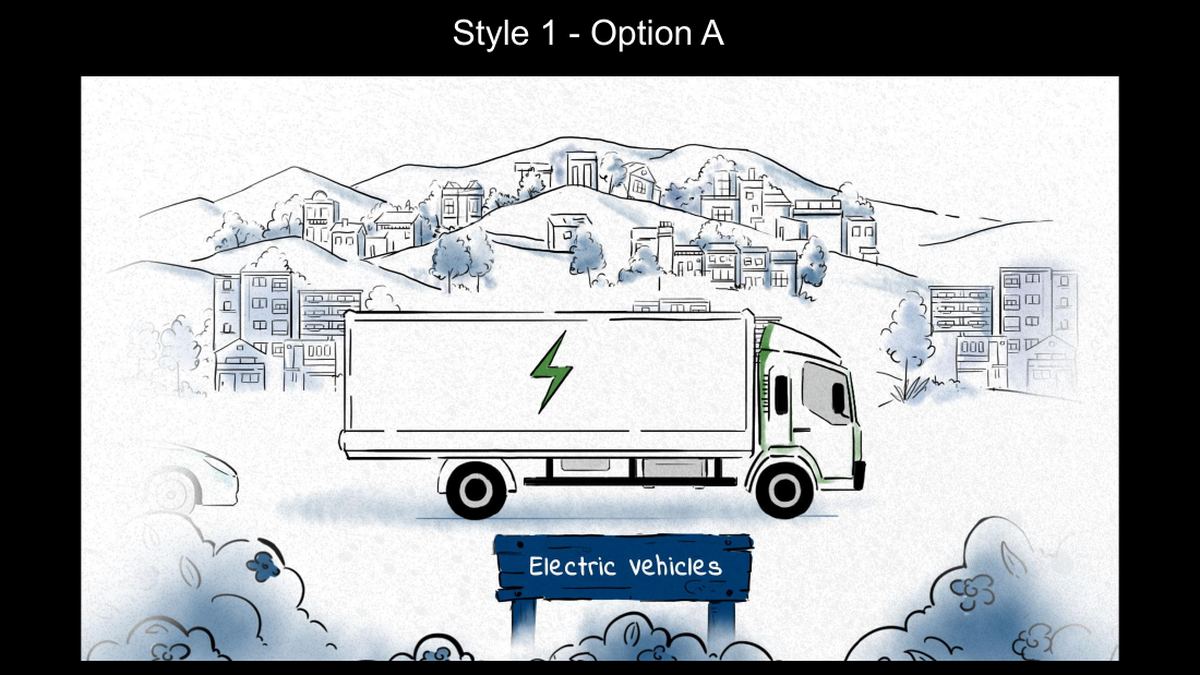
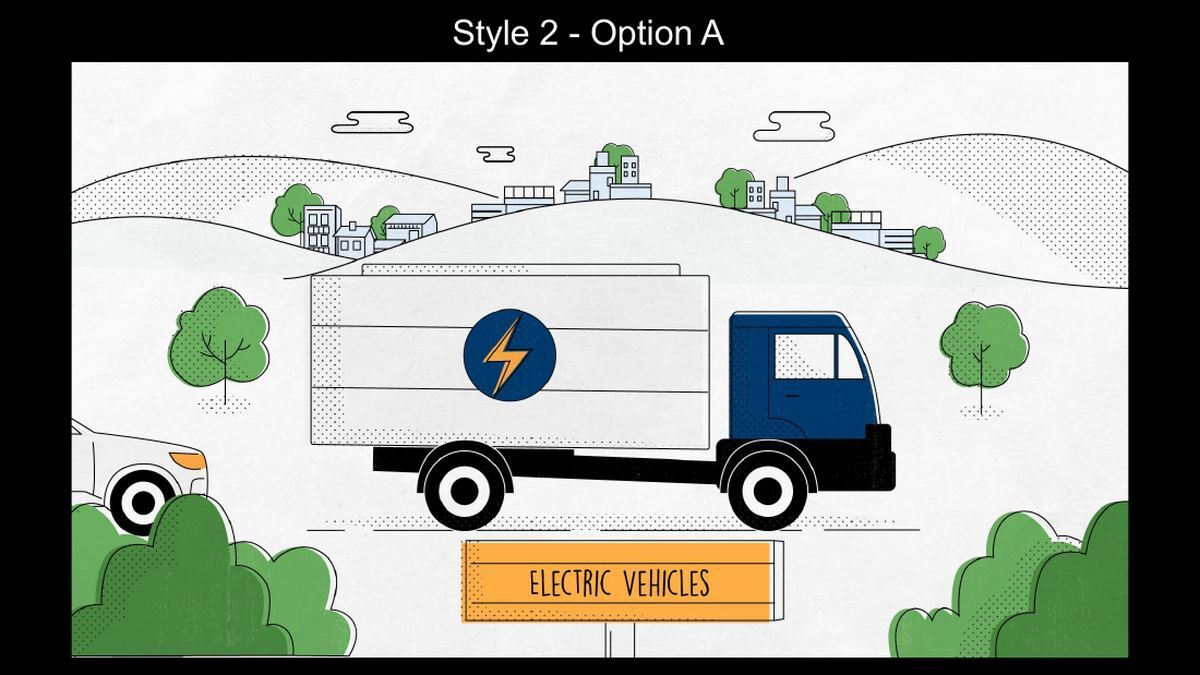
Once the board is approved, a few key panels are designed in the final look. These are style frames. For the Marin EV rebates video, the same opening shot went to the client in two style directions.
Storyboard sketch of trucks on a road with cleaner and more sustainable signs
Step 1, storyboard: what the shot says.
Style frame option 1: an electric truck drawn in ink with soft blue watercolour hills and an Electric vehicles sign
Step 2, style frame option 1: ink and watercolour.
Style frame option 2: a flat colour electric truck with a navy cab, green trees and an orange Electric vehicles sign
Step 3, style frame option 2: flat colour with texture.

The storyboard decided what the shot says: trucks, road signs and a promise of cleaner fleets. The style frames decided how it looks. Splitting the two keeps feedback focused, with story notes at storyboard stage and colour and texture notes at style frame stage. Scroll back to example 01 to see where it landed.

Have a story that's hard to picture?
We'll script, storyboard and animate an explainer that makes it click, with every frame approved before animation starts.

Storyboard Shot Types and Camera Moves

You will see these terms in action notes. Knowing them makes your feedback faster and more precise.

Term What it means How explainers use it
Wide shot Shows the whole scene and setting Opening the story or showing a system at a glance
Close-up Fills the frame with one subject A product detail, a face reacting, a key number
Pan The camera slides left, right, up or down Moving from problem to solution in one scene (Marin Shot 6a)
Push-in or zoom The camera moves closer Pulling focus to the feature that matters
Transition or morph One shape turns into the next scene Linking ideas without a hard cut (CDL Shot 26)
Draw-on Lines appear as if being drawn The signature move of whiteboard animation
Camera stop A 3D camera move ends on a set angle Letting viewers read a detailed object (CDL Shot 12)
Our action notes use plain language first, so you never need a film glossary to give feedback.

How to Review a Storyboard: A Buyer's Checklist

You do not need to draw to review a storyboard. Read it like a comic, out loud, with the voiceover, and check these points. The first one matters most: as our guide to video storytelling explains, the story should follow your customer as the hero, raise the stakes, show the struggle and end on an emotional high.

Does every panel earn its line? Each shot should show something the voiceover cannot say alone. If a panel just repeats the words, ask for a stronger visual.
Is the hero your customer? The best explainers star the viewer's problem, not your logo. Check that the story opens with their pain.
Would it work on mute? Plenty of people watch without sound. Scan the frames alone and see if the message still comes through.
Are the facts right? Product screens, numbers, terminology and compliance details are easiest to fix now.
Is anything missing or extra? Adding or cutting a scene is a sketch at this stage and days of animation later.
Is the feedback consolidated? Collect every stakeholder's notes into one list per round. With 2 revision rounds, one clear list beats five conflicting ones.
Are these story notes or style notes? Colours, fonts and character design come at style frame stage. Keep storyboard feedback about what happens, not how it looks.

Storyboarding Tools Worth Knowing

Sketching a rough board yourself before you brief a studio is a great way to get your ideas across. These tools make it easy. Studios like ours draw boards by hand or in digital painting tools, then share them as PDFs for review.

Tool Best for Skill needed
Storyboard That Drag-and-drop scenes with stock characters None
Boords Shared boards with comments and quick animatics Low
Canva Fast boards from templates None
StudioBinder Shot lists linked to storyboards, mostly live action Low
Milanote Mood boards and loose visual planning None
Rough is fine. A studio will redraw everything; your board just needs to show the idea.

Storyboards plan the shots, but the production needs a map too. To visualise the whole sequence, from script breakdown to final delivery, and manage dependencies, production managers often use an AI flowchart generator to map the full animation process.

Frequently Asked Questions

Frequently Asked Questions

What is storyboarding in simple words? +

Storyboarding is planning a video as a series of sketches, one for each shot, with the words and actions written beside each one. It lets everyone see the video before it is made.

What is the definition of a storyboard? +

A storyboard is a sequence of drawn panels that shows the shots of a film, animation or video in order, with notes on the voiceover or dialogue, the action and the camera movement.

How does storyboarding help in developing an animation project? +

It locks the story, visuals and pacing before animation, the most expensive stage. Animators work from approved panels, camera moves are planned, stakeholders sign off on one version, and changes cost a sketch instead of days of re-animation.

How long does storyboarding take for an explainer video? +

At Broadcast2World, the storyboard stage takes 1 to 2 weeks within a typical 4 to 6 week explainer project, including 2 rounds of revisions.

What is the difference between a storyboard and an animatic? +

A storyboard is a set of still panels. An animatic is those panels edited together and timed to a scratch voiceover to test pacing. We use animatics only for high-end animated commercials; explainers move straight from storyboard to style frames.

How many panels does an explainer storyboard have? +

Usually one panel per shot, with extra lettered panels such as 3a and 3b for complex moves. A 60 to 90 second explainer often runs 20 to 40 panels, more for character-heavy stories.

Do I need to know how to draw to review a storyboard? +

No. Panels are deliberately rough. Your job is to check the story, the message and the facts, and the studio handles the drawing.

What happens after the storyboard is approved? +

The studio designs style frames in the final look, records the voiceover and starts animation. Changes after approval are still possible but cost more, which is why the 2 revision rounds matter.

Marcus Santiago - B2W Writer
AUTHOR BIO
Marcus Santiago
B2B Animation Studio · 15+ Years in Production · 4.8★ on Clutch

Marcus is a distinguished artist with a deep-rooted passion for visual storytelling. Graduating with a degree in Art from a prestigious institution in the USA, he has seamlessly blended his artistic prowess with the digital world, specializing in video marketing and animation. His innovative approach in these fields has seen him contribute to several renowned platforms, where he elucidates on the nuances of effective visual communication. Outside of his professional sphere, Marcus is an avid biker, often taking to the open roads to find inspiration and reflect on his creative ventures. Merging artistry with strategic insights, Marcus continues to shape the landscape of video marketing, one animation at a time.

Ready to see your story, frame by frame?

We've made 5,000+ animated videos, including explainers for software, healthcare, finance and utility brands. Send us your idea and we'll show you how it could look.

View Our Portfolio

Subscribe by Email

No Comments Yet

Let us know what you think